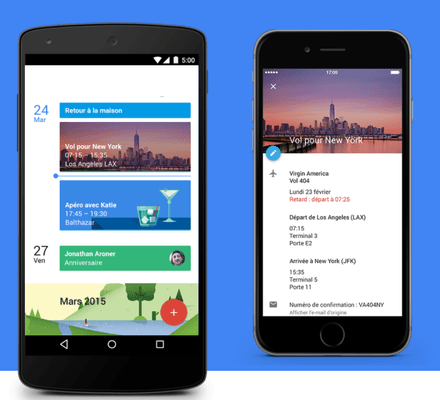
This connector synchronizes your Google Calendar with your blg calendar (activity wall) in a bidirectional way. These data are not shared outside of Google and blg.
Data Used:
- Access to the calendars of the account and the events in those calendars.
- Storing the email address associated with the account.
- Storing tokens that allow connection to the API with the Google account.
Actions in Google Calendar:
- Create new events, modify, and delete existing events in Google.
Actions in blg:
- Create, modify, and delete events in the blg calendar to match the Google data.
Data Synchronized for Calendar Events:
- The summary / title
- The comment
- The start and end dates, and whether it's an all-day event.
- The participants / invitees of the event.
Data Protection: Data is stored on secure, client-instantiated hosting, and all communications are encrypted via HTTPS protocol.
Data Retention and Deletion: The synchronized event data in your calendar is for professional use. The administrators of your blg instance manage the retention of this data. You can contact your administrator to request the deletion of your data. Authentication data (Google tokens) are kept as long as the service is active, and they can be deleted at any time via the external credentials.
Any questions about this product?
Request for information
Application addition request
By continuing to browse this site, you agree to the use of cookies for visitor statistics.


Data Used:
- Access to the calendars of the account and the events in those calendars.
- Storing the email address associated with the account.
- Storing tokens that allow connection to the API with the Google account.
Actions in Google Calendar:
- Create new events, modify, and delete existing events in Google.
Actions in blg:
- Create, modify, and delete events in the blg calendar to match the Google data.
Data Synchronized for Calendar Events:
- The summary / title
- The comment
- The start and end dates, and whether it's an all-day event.
- The participants / invitees of the event.
Data Protection: Data is stored on secure, client-instantiated hosting, and all communications are encrypted via HTTPS protocol.
Data Retention and Deletion: The synchronized event data in your calendar is for professional use. The administrators of your blg instance manage the retention of this data. You can contact your administrator to request the deletion of your data. Authentication data (Google tokens) are kept as long as the service is active, and they can be deleted at any time via the external credentials.