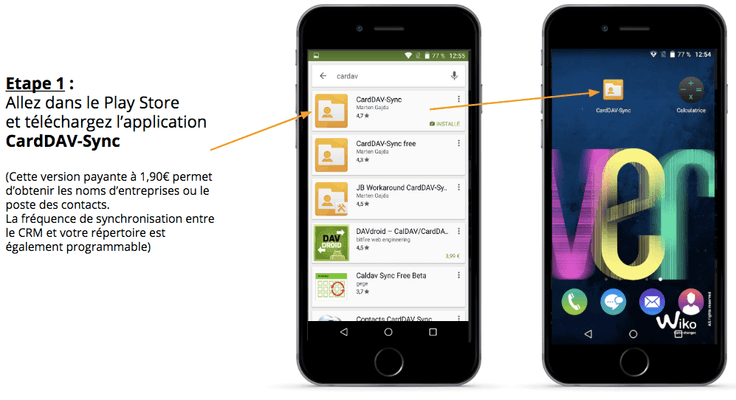
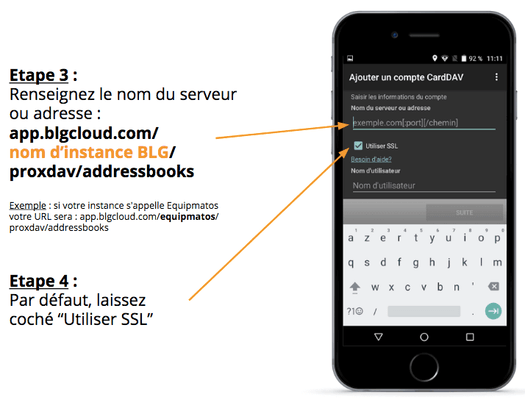
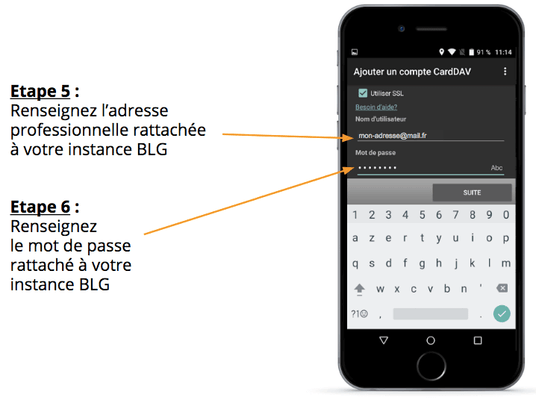
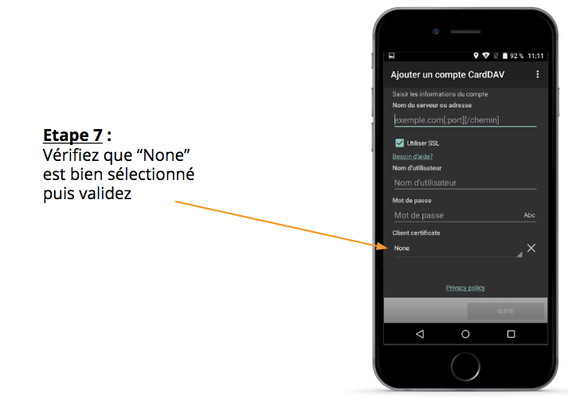
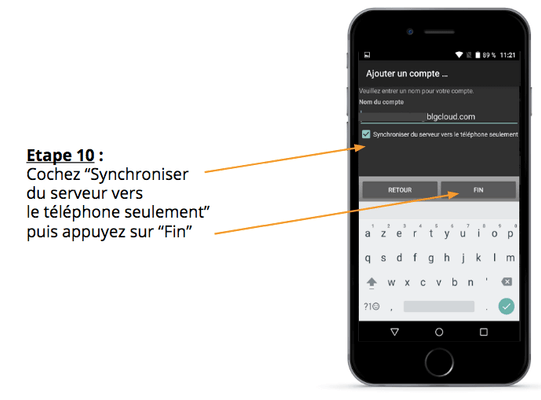
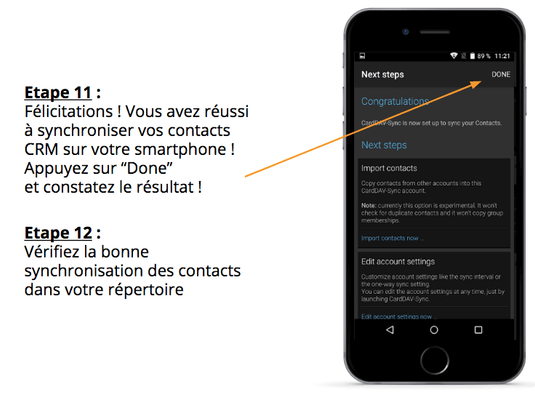
The CardDAV synchronization allows you to synchronize the contacts from your blgCloud instance with your mobile devices (smartphones and tablets). This synchronization works with Android and iOS devices, enabling you to access all your contacts and see the caller's name without double entry of information. Among the data synchronized, you will find the first and last names of contacts, their phone numbers, postal address (if provided), email address, and their affiliation with a company. Only contacts with a phone number in your blgCloud CRM will be added to your directory.
Why can't I see all the contacts from my CRM in my directory?
Only contacts with a phone number in the CRM blgCloud will be synchronized into your directory. So don't worry if there is a difference between the number of contacts in your CRM and on your mobile device.
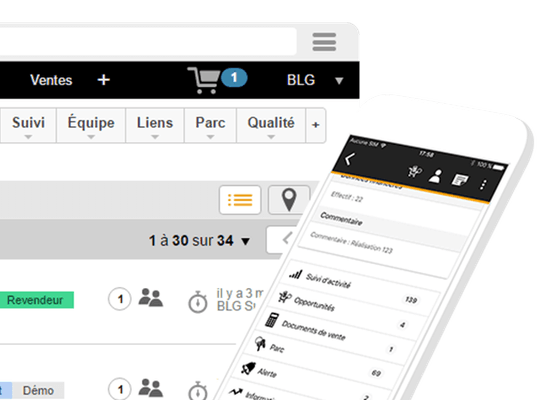
You can find out the exact number of contacts to be synchronized by using the "Quality" filter engine, selecting "Not Empty," and checking "Phone Number" in the web version of your CRM blgCloud.
Why don't I have access to the same contacts as my colleague?
To avoid cluttering your directory, you will only have access to contacts of clients and prospects associated with your commercial sector (i.e., all Company records where you are affiliated as a Sales Representative).
Only users with Administrator or Sales Manager status (user group) can access all contacts in the CRM.
Can I continue to add to my phone's directory?
Absolutely. However, no synchronization from the phone to the CRM is performed. Therefore, we recommend that for any new contact, you add it directly to your CRM, either via the web or through the blgCloud mobile app.
Any questions about this product?
Request for information
Application addition request
By continuing to browse this site, you agree to the use of cookies for visitor statistics.



Why can't I see all the contacts from my CRM in my directory?
Only contacts with a phone number in the CRM blgCloud will be synchronized into your directory. So don't worry if there is a difference between the number of contacts in your CRM and on your mobile device.
You can find out the exact number of contacts to be synchronized by using the "Quality" filter engine, selecting "Not Empty," and checking "Phone Number" in the web version of your CRM blgCloud.
Why don't I have access to the same contacts as my colleague?
To avoid cluttering your directory, you will only have access to contacts of clients and prospects associated with your commercial sector (i.e., all Company records where you are affiliated as a Sales Representative).
Only users with Administrator or Sales Manager status (user group) can access all contacts in the CRM.
Can I continue to add to my phone's directory?
Absolutely. However, no synchronization from the phone to the CRM is performed. Therefore, we recommend that for any new contact, you add it directly to your CRM, either via the web or through the blgCloud mobile app.